DMARC compliance tools in 2026: what you actually need
DMARC compliance is mandatory, but most companies approach it wrong. Here's what tools you actually need, who needs what, and what happens when you skip proper monitoring.

DMARC compliance is no longer optional. Gmail, Yahoo, and Microsoft require it. Skip it, and your emails land in spam or get blocked.
But what does “getting DMARC compliant” actually mean in practice? What tools do you need? The honest answer: it depends on your role and what you’re trying to protect.
Here’s what I’ve learned from watching companies struggle with this, and what actually works.
Looking for a ranked shortlist instead of a buyer’s framework? See Best DMARC monitoring service in 2026: 6 tools compared for the head-to-head picks.
The four pillars of DMARC compliance
Before diving into tools, understand what DMARC compliance actually requires:
-
A valid DMARC record published in your DNS with at least
p=none - A place to receive reports so you know what’s happening
- Visibility into those reports to identify legitimate senders and threats
- Ongoing monitoring because DNS records change and new senders appear
Most companies fail at steps 2-4. They publish a DMARC record, point reports at some inbox nobody checks, and call it done. That’s not compliance. That’s hoping nothing breaks.
Tool category 1: DMARC monitoring platforms
The core tool in any DMARC compliance stack is a monitoring platform. This is what turns the XML firehose of aggregate reports into something actionable.
What a monitoring platform must do
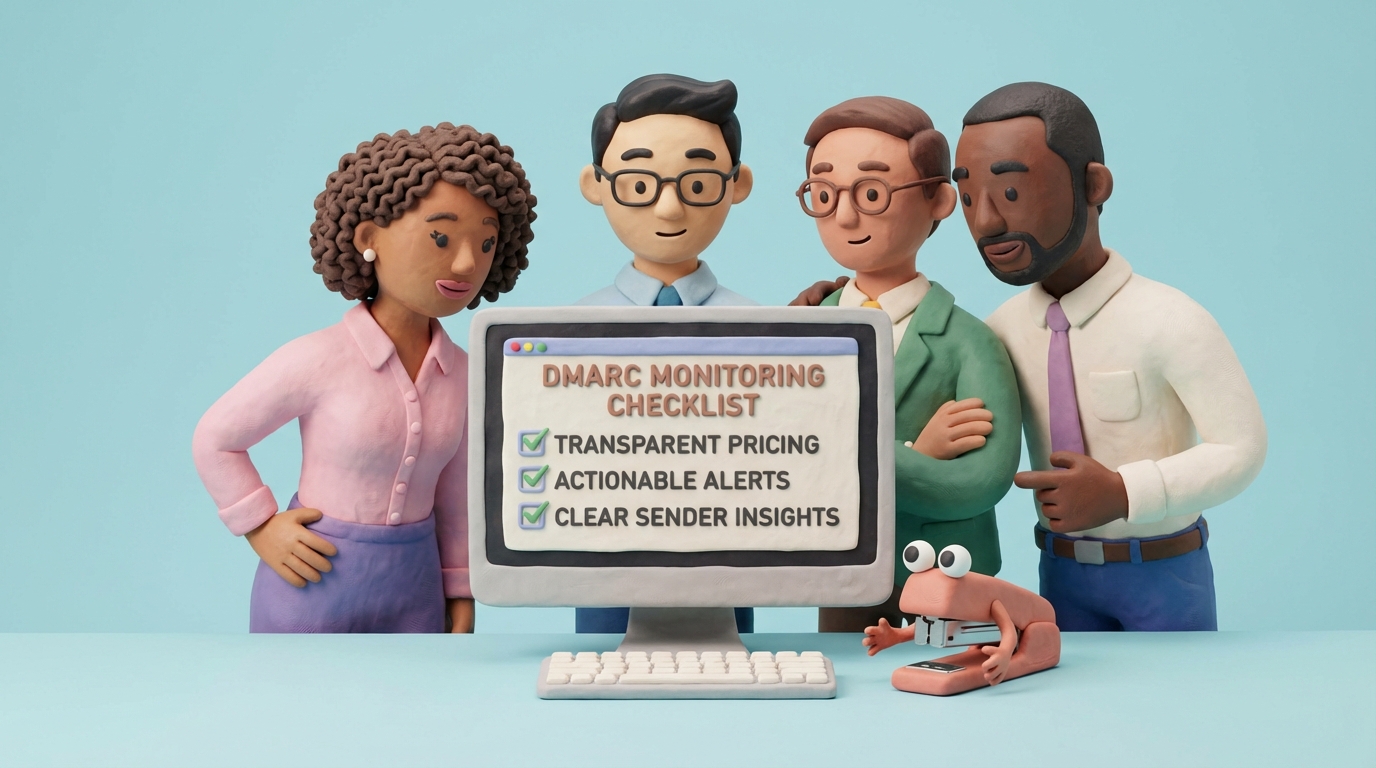
A monitoring platform needs to do a few things well. First, give you a mailbox for reports. Those XML files have to go somewhere. Second, parse the data into something readable. Nobody wants to stare at raw XML. Third, identify your senders so you know who’s actually sending email as your domain. Fourth, track changes over time so you can spot when things start breaking.
If you’re actively vendor-shopping, these comparison pages can help you evaluate alternatives with a clear checklist:
Why DMARCTrust
We built DMARCTrust because we were tired of watching companies struggle with this. You can start for free with one domain, no credit card required. Here’s how it works.
Dedicated RUA mailbox: When you sign up, you get a unique reporting address ([email protected]). Point your DMARC record’s rua= tag there, and we handle the rest. No configuring email servers. No worrying about storage limits. Reports arrive, get parsed, and show up in your dashboard automatically.
Source insights that make sense: Our dashboard doesn’t just show you IP addresses. We resolve them to actual senders, like Mailchimp, SendGrid, or your corporate mail server, so you can make decisions without playing detective. You’ll immediately see which sources pass SPF and DKIM, which fail, and what percentage of your email volume each represents.
DNS change monitoring: DMARC records aren’t “set and forget.” Someone in IT might accidentally delete your SPF record. A new hire might misconfigure DKIM. A vendor might change their sending IPs. DMARCTrust monitors your DNS records continuously and alerts you when something changes. You find out in minutes, not when your emails start bouncing.
API for automation: Security teams and DevOps engineers need programmatic access. Our API lets you pull domain status, report data, and DNS configurations into your existing tools. Build dashboards in Grafana. Trigger alerts in PagerDuty. Integrate with your SIEM. The data is yours to use however you need.
These four things (mailbox, insights, DNS alerts, API) are what separate “we have a DMARC record” from “we actually know what’s happening with our email.” Miss any one of them and you’ve got a blind spot.
Who needs what: three profiles
Different people care about different things. Here’s what I’ve seen from each group.
The marketing professional
Primary concern: Email deliverability and brand reputation.
Marketers live and die by open rates. When emails hit spam, campaigns tank. For them, DMARC isn’t a security thing. It’s a revenue thing.
What they need: A monitoring platform that shows whether marketing emails are being delivered. Are Mailchimp campaigns passing DMARC? Is HubSpot properly authenticated? What about that webinar tool the team signed up for last month?
DMARCTrust’s source insights answer these questions in seconds. Filter by sender, see pass/fail rates, and identify which tools need configuration fixes. No XML parsing. No asking IT to investigate.
What goes wrong: A marketing manager launches a product campaign. Open rates are 3%. They blame the subject line and keep A/B testing for six weeks. Turns out the emails were landing in spam because their email tool wasn’t authenticated. Budget gone. Launch ruined.
If they had monitoring, they’d have spotted the failures within a day.
The business owner
Primary concern: Keeping things simple while protecting the brand.
Business owners don’t want to become DMARC experts. They want to know their email works and their brand isn’t being spoofed for phishing attacks.
What they need: A platform that handles the complexity automatically and only surfaces problems when action is required.
DMARCTrust’s DNS monitoring is particularly valuable here. You shouldn’t need to manually check your DNS records every week. Set it up once, and get alerted when something breaks. The system does the watching so you can focus on running the business.
The nightmare scenario: A small e-commerce company gets their domain spoofed by phishers. Customers receive fake “order confirmation” emails with malicious links. The brand’s reputation takes a hit. Support tickets flood in. Some customers stop buying.
The company had a DMARC record, but it was set to p=none with reports going to an inbox nobody checked. They had no idea attackers were exploiting their domain until customers complained.
With DMARCTrust monitoring from day one, they would have seen the unauthorized senders in their reports and had the data needed to move to p=reject before the attack succeeded.
The cybersecurity specialist
Primary concern: Visibility, audit evidence, and fitting DMARC into their existing security stack.
Security teams see DMARC as one piece of a larger puzzle. They need data for incident response, compliance audits, and integration with whatever tools they’re already running.
What they need: API access for automation, granular report data for incident investigation, and reliable alerting that integrates with existing workflows.
DMARCTrust’s API is built for this use case. Pull domain status programmatically. Export report data to your SIEM. Build automated compliance checks that verify DMARC policies across all company domains. Set up alerting that triggers your incident response process when DNS changes are detected.
What goes wrong: A financial services company passes their annual audit. Three months later, a junior admin deletes the SPF record while “cleaning up” DNS. Nobody notices for six weeks. They fail a surprise regulatory check.
With DNS monitoring, that deletion triggers an alert within minutes. Fixed before it matters.
Tool category 2: DNS management
DMARC compliance requires DNS records. How you manage those records matters.
What you need from DNS management
Your DNS provider needs to support long TXT records (SPF and DMARC can get lengthy), propagate changes fast (slow updates mean slow fixes), and ideally have an API if you’re managing multiple domains. And it needs to stay up. If your DNS is down, your DMARC policy doesn’t exist.
Popular options
Most registrars include DNS management. Cloudflare, Route 53, Google Cloud DNS, and Azure DNS all work fine.
The real question is whether your provider supports automation. If adding a record means logging into a portal and clicking through five screens, you’ll procrastinate on changes. That slows everything down.
The integration opportunity
DMARCTrust shows you what DNS records you need. Your DNS provider is where you implement them. Some organizations automate this entirely, using the DMARCTrust API to identify required changes and their DNS provider’s API to implement them.
Tool category 3: SPF record management
SPF has a 10-lookup limit, and it’s more annoying than it sounds.
The SPF lookup problem
Every include: in your SPF record triggers a DNS lookup. Add Salesforce, HubSpot, Zendesk, SendGrid, and your corporate mail server, and you’ve already hit 5-6 lookups. Add a few more services, and you exceed the limit. Once you exceed 10 lookups, SPF fails for everyone.
Solutions
SPF record generators: Tools like our free SPF generator help you build valid records and count lookups before you publish them.
SPF flattening services: These services resolve all your include: statements into IP addresses, reducing lookup count. The trade-off with manual flattening is that you need to update the record whenever your vendors change their IPs. Automated tools like DMARCTrust’s SPF Optimizer (included with Pro) handle this continuously, detecting IP changes and publishing updates without manual intervention.
Subdomain delegation: Instead of cramming everything into one SPF record, use subdomains. Marketing sends from marketing.yourdomain.com. Support sends from support.yourdomain.com. Each subdomain gets its own SPF record with its own 10-lookup budget.
The right approach depends on how many senders you have and how often they change. DMARCTrust’s source insights help you understand your sender landscape before you decide.
Tool category 4: Security awareness training
DMARC is technical. Breaches are usually human. People click on things they shouldn’t, even when the email came from a domain that should have been blocked.
The human layer
Security awareness platforms train employees to recognize phishing attempts. They simulate attacks, track who clicks, and provide targeted training for high-risk individuals.
How it connects to DMARC
DMARC stops attackers from spoofing your domain to attack others. Security awareness training stops attackers from successfully phishing your employees, regardless of which domain they spoof.
These tools work together. DMARC stops people from impersonating you. Training stops your people from falling for impersonation. If you’re serious about email security, you need both.
Tool category 5: Email testing platforms
Before you send a campaign, you should know whether it will pass authentication and render correctly.
Pre-send validation
Email testing platforms let you send a test email and see exactly what happens. Does SPF pass? Does DKIM validate? Does DMARC align? What does the email look like in Gmail versus Outlook?
These tools catch problems before they affect real campaigns. Worth it if you can’t afford to waste a campaign on authentication failures you could have caught beforehand.
Post-send monitoring
Some platforms also monitor deliverability over time, tracking inbox placement rates across different providers. This data complements DMARC monitoring by showing you the business outcome (did the email reach the inbox?) alongside the technical outcome (did authentication pass?).
Note that forwarding and mailing lists can cause legitimate DMARC failures that aren’t configuration errors. Understanding these edge cases helps you interpret reports correctly.
What happens when you skip this
I’ve seen this play out the same way, over and over.
Lost revenue from deliverability problems
Gmail, Yahoo, and Microsoft require DMARC now. No valid policy means reduced inbox placement. Marketing campaigns underperform. Sales emails hit spam. Customer communications go unread.
For e-commerce, email often drives 20-30% of revenue. A 10% drop in deliverability is real money.
Brand damage from spoofing attacks
Without p=reject, anyone can send email that looks like it came from you. Attackers use this for phishing, fraud, and business email compromise.
When customers get phishing emails “from” your domain, they blame you. Doesn’t matter that you didn’t send them. Your support tickets spike. Some customers leave. In regulated industries, you might face penalties too.
Audit failures and compliance gaps
PCI-DSS, HIPAA, SOC 2, and government frameworks increasingly reference email authentication. Can’t demonstrate compliance? You fail the audit.
And auditors want evidence. Monitoring data. DNS change logs. Historical trends. If you haven’t been collecting this data, you can’t produce it when they ask.
Incident response blindness
When something breaks, how do you investigate? Without historical data, you can’t answer basic questions. When did it start failing? What changed? Which senders were affected?
Companies without monitoring spend days investigating incidents that should take minutes. That delay makes everything worse.
How to actually do this
Here’s the path that works.
Step 1: Get monitoring in place
Create a free DMARCTrust account and add your domains. Use our DMARC generator to create your record with the correct rua tag pointing to your DMARCTrust address. Within 24-48 hours, you’ll start seeing data.
This one step takes you from “we have a DMARC record” to “we know what’s happening.”
Step 2: Inventory your senders
Use DMARCTrust’s source insights to identify everyone sending email as your domain. You’ll find senders you knew about, senders you forgot about, and senders you never authorized, often called “Shadow IT.”
Work through the list. For each legitimate sender, verify that SPF or DKIM is properly configured. For unauthorized senders, investigate and remediate.
Step 3: Enable DNS monitoring
Turn on DNS change alerts. This catches configuration drift before it causes deliverability problems.
Step 4: Move toward enforcement
Once you’ve identified and authenticated all legitimate senders, start tightening your DMARC policy. Move from p=none to p=quarantine, then to p=reject. DMARCTrust’s trend data shows you when it’s safe to make each transition.
Step 5: Integrate with your stack
If you have security operations, use the API to pull data into your existing tools. Automate compliance checks. Build alerting that fits your workflow.
How do top DMARC providers compare on features and pricing?
The vendors most people evaluate side by side are DMARCTrust, Valimail, dmarcian, PowerDMARC, and DMARC Analyzer. At a high level, pricing sits on a wide spectrum ($19/month entry tier for DMARCTrust up to “contact sales” enterprise quotes), and feature sets diverge on three axes: how they parse reports, how they handle multiple domains or tenants, and whether DNS change monitoring is built in. Our DMARC vendor comparison guide lays out the head-to-heads with links to each vendor’s official pricing page so you can verify numbers yourself.
Best DMARC vendor for enterprise compliance automation
If your main driver is passing SOC 2, ISO 27001, or sector-specific audits, you want a vendor that gives your GRC stack something to pull: exportable aggregate report data, a DNS change audit trail, API endpoints you can poll from existing tooling, and an explicit data-residency choice so you can document where reports are stored. DMARCTrust provides all four — an API for automated compliance checks, DNS change history, report export, and a documented EU or US region selected at signup. Larger teams that already run Valimail’s enforcement-as-a-service model may prefer it for its hands-off approach, though the trade-off is cost and less transparent reporting.
DMARC vendor comparison for mid-sized businesses
Mid-sized organizations (50–500 employees) typically need more than a single domain and more than manual XML parsing, but can’t justify enterprise pricing. The sweet spot is a vendor with per-domain or tiered plans, source resolution that doesn’t require a dedicated analyst, and reasonable DNS monitoring. DMARCTrust’s $19/month Starter (two domains, unlimited reports) and $49/month Pro (five domains, SPF optimizer, MTA-STS hosting) sit in this bracket without “contact sales” friction.
Which DMARC vendor helps you reach enforcement fastest?
Speed to p=reject depends less on the vendor and more on whether they help you inventory your senders and fix alignment issues before flipping the policy. Look for: auto-resolution of source IPs to named services (so you stop guessing), clear pass/fail breakdowns per sender, and a policy-change playbook. DMARCTrust surfaces unresolved senders on the dashboard and links them to source insights so you can walk from p=none through p=quarantine to p=reject using real data, not guesswork.
DMARC tools for managing multiple clients under one account
MSPs and agencies have a different requirement set: client isolation, per-client billing, and white-label dashboards. Not every DMARC vendor supports this natively. The DMARC for agencies and MSPs guide walks through the platforms that do and the trade-offs between each. If you manage 10+ client domains, pricing-per-domain quickly matters more than the feature sheet.
Valimail alternatives that are easier to set up
Valimail’s “hosted SPF and DKIM” model removes a lot of configuration work, but you pay for the abstraction — and you’re locked into their hosted records. If you want more direct control (and lower cost) without giving up source resolution and enforcement guidance, see our Valimail alternative comparison. DMARCTrust keeps your SPF, DKIM, and DMARC records in your own DNS, so nothing changes for you if you ever switch vendors.
The short version
DMARC compliance comes down to four things: somewhere to receive reports, a way to understand them, alerts when DNS changes, and the ability to plug into your existing tools.
DMARCTrust does all four. Mailbox for reports. Dashboard that shows actual senders. DNS monitoring that catches changes. API for automation.
The alternative is publishing a DMARC record, hoping nothing breaks, and finding out about problems when emails bounce or customers complain.
Check your domain to see where you stand. If you’re not at p=reject with active monitoring, you’re exposed.